
How to Use Your Malina Casino Login and Sign Up Safely
Whether you are returning to an existing account or opening one for the first time, the Malina Casino login and registration process takes only a few minutes. This guide covers where to sign in safely, how to fix the most common access problems, what the sign up form asks for and how the welcome offer for new Canadian players is activated after registration.
Accounts are personal, so the steps below focus on accuracy and security as much as speed. Entering details that match your documents from the start makes verification and withdrawals much smoother later. If you want to compare offers before you register, our Malina Casino bonus guide lists the current promotions in detail.
Where to Find the Malina Casino Login Page Safely
The safest way to reach the sign-in form is through a route you have already checked: a saved bookmark, a home-screen shortcut or a trusted link such as the buttons on this site. Typing the address into a search engine every time increases the risk of landing on a copy of the site created to collect passwords.
Look at the address bar before you enter anything. The connection should be secure, the domain should be the one you expect and the page should not ask for unusual information such as a bank password or a one-time payment code. A genuine Malina Casino login form asks only for your email or username and your password.
- Bookmark the sign-in page after your first successful visit.
- Avoid links in unexpected emails or messages that ask you to log in urgently.
- Do not sign in on shared or public computers unless you log out afterwards.
- Keep your browser and device updated so security warnings work properly.
The Government of Canada’s Get Cyber Safe programme publishes practical advice on recognising phishing pages and creating strong passwords.
Signing In with Your Malina Login Step by Step
Once you are on the correct page, the sign-in itself is short. The steps are the same on desktop and on a phone browser, although the button may sit in a menu on smaller screens.
-
Open a trusted page
Use a bookmark, home-screen shortcut or a checked link instead of a search result. -
Select Log In
Find the Log In button in the header or, on a phone, in the top bar or menu. -
Enter your details
Type the email or username and password you registered with, then confirm. -
Check your account
Review your balance, active bonuses and messages before you start playing.
After a successful Malina login, your balance, active promotions and messages appear in the account area. If the balance looks different from what you expect, check the transaction history before contacting support, because pending deposits and active bonuses are often shown separately.
Fixing Common Problems with a Malina Sign In
Most access problems have a simple cause. The table below lists the issues players report most often and the first thing to try in each case.
| Problem | Likely cause | What to do |
|---|---|---|
| Password not accepted | Typo, caps lock or an old saved password | Retype carefully, then use password recovery |
| Email not recognised | Registered with a different address | Try other addresses you use, then ask support |
| Account locked | Several failed attempts or a security check | Wait, then contact support through live chat |
| Page does not load | Connection, browser cache or regional restriction | Refresh, clear cache or try another browser |
| Access restricted message | Registration or play not permitted from your location | Do not try to bypass it; ask support about eligibility |
| Self-exclusion active | A limit or exclusion you set earlier | Wait for the period to end; it cannot be skipped |
If you cannot sign in, recover the existing account instead of registering again. Duplicate accounts break the terms and can lead to both accounts being closed, along with any bonuses or winnings.
Resetting Your Password After a Failed Malina Casino Login
Password recovery is the quickest fix when you are sure the email is correct but the password is not accepted. Select the forgotten password link under the sign-in form, enter the email address linked to your account and follow the link sent to your inbox. The link usually expires after a short time, so use it promptly.
Choose a new password that you have not used anywhere else. A long passphrase made of several unrelated words is easier to remember and harder to guess than a short password with symbols. If the recovery email does not arrive, check your spam folder and confirm that you are using the right address before asking support for help.
- Never share your password with support staff; they do not need it.
- Use a password manager to store unique passwords safely.
- Change your password immediately if you notice activity you do not recognise.
Opening an Account Through the Malina Casino Sign Up Form
New players can register in a few minutes from the Register button at the top of the site. The Malina Casino sign up form asks for basic contact details, a password, your country and currency, and personal information used for verification. Entering everything accurately the first time prevents delays when you request your first withdrawal.
-
Select Register
Open the registration form from the Register button at the top of the site. -
Add contact details
Enter an email address you control and create a unique password. -
Add personal details
Fill in your name, date of birth and address exactly as they appear on your documents. -
Confirm your email
Open the confirmation link if one is sent, and accept the terms after reading them. -
Set limits, then deposit
Choose deposit limits first, then decide whether to claim the welcome offer with your first deposit.
The form fields are standard for licensed online gaming. The table shows what each one is used for, so you know why the information is requested.
| Field | Why it is needed |
|---|---|
| Email address | Sign-in, password recovery and account messages |
| Password | Protects access to your balance and personal data |
| Country and currency | Sets eligible promotions, payment methods and the account currency |
| Name and date of birth | Confirms identity and legal gambling age |
| Address and phone | Used for verification and account security |
Select Canada and CAD where available so that offers and payment options match your location. A dollar sign alone does not always mean Canadian dollars, so check the currency label before your first deposit.
What the Malina Casino Sign Up Offer Gives New Players
Registering does not unlock a reward on its own. The Malina Casino sign up offer is tied to your first qualifying deposit of at least C$30. It matches that deposit at 100% up to C$750 and adds 200 free spins plus one Bonus Crab chance.
100% match
Up to C$750 on the first deposit.
200 spins
Free spins on selected slots.
Bonus Crab
One chance at the prize game.
C$30 minimum
Smallest qualifying deposit.
Wagering is 35 times the deposit plus bonus, and free spin winnings need 40 times wagering within ten days. Accepting the offer is optional. If you prefer to play with cash only, simply do not select the bonus when making your first deposit. The full breakdown, including reloads, is on our bonus page.
Verifying Your Identity After the Malina Casino Sign Up
Verification, often called KYC, confirms that the account belongs to you and that you meet the age and location rules. It is usually requested before the first withdrawal, but completing it early saves time later. Documents are uploaded through the secure section of your account.
- Photo ID: a passport, driver’s licence or provincial ID card.
- Proof of address: a recent utility bill or bank statement showing your name and address.
- Payment proof: confirmation that the card or wallet used for deposits belongs to you.
Make sure photos are clear, all corners of the document are visible and the details match the information you entered at registration. If a document is rejected, ask support exactly what needs to change rather than uploading the same file again.
Why Accurate Details Matter During the Malina Casino Sign Up
It can be tempting to skip fields or use a shortened name to register faster. In practice, mismatched details are one of the most common reasons for delayed payouts. When the name, date of birth or address on the account does not match your documents, verification stops until the difference is explained, and any pending withdrawal waits with it.
The same applies to payment methods. A card or wallet in someone else’s name will usually be rejected for withdrawals, even if deposits went through. Using your own payment method from the start keeps the account consistent with the rules every licensed operator has to follow.
Accurate from day one
Verification is quick, the first withdrawal follows the normal processing time and promotions stay valid.
Corrected later
Extra documents may be requested, payouts can be paused and bonus winnings may be reviewed.
If you made a mistake during registration, contact support as soon as you notice it. Correcting a typo before the first deposit is far easier than explaining it during a withdrawal review.
Keeping Your Malina Login Secure Over Time
A secure account protects both your balance and your personal data. Most account takeovers start with a reused password or a fake sign-in page, so a few habits go a long way.
Unique password
Use a password that you do not use for email, banking or other sites.
Extra protection
Turn on any additional security option offered in your account settings.
Secure email
Protect the email linked to your account, because it controls password recovery.
Log out
Sign out on shared devices and avoid public Wi-Fi for payments.
If you suspect that someone else has accessed your account, stop making transactions, change your password and contact support straight away. The Canadian Centre for Cyber Security also provides guidance on protecting online accounts.
Using the Malina Casino Login on a Phone or a Computer
The same account works on every device, and there is no separate mobile registration. On a phone, the sign-in button usually sits in the top bar or in the main menu. Saving the site to your home screen makes it quicker to return without searching each time.
| Device | How to sign in | Tip |
|---|---|---|
| Desktop browser | Log In button in the header | Bookmark the page after the first visit |
| Phone browser | Log In button in the top bar or menu | Add a home-screen shortcut |
| Tablet | Same as the phone or desktop layout | Rotate the screen if buttons look crowded |
Our Malina Casino app guide explains how mobile access works, how to create a shortcut on Android and iPhone, and why you should avoid unofficial download files.
Your First Steps After the Malina Casino Sign Up Is Complete
With the account open, the next step is usually the cashier. Canadian-facing pages show Interac, Visa and Mastercard among the payment brands, but the methods available to you are listed in your own cashier. Check the minimum deposit, any fees and whether the method also supports withdrawals before you confirm.
| Check | Why it matters |
|---|---|
| Account currency | Avoids conversion charges from your bank or card issuer |
| Payment method | Some methods may not support withdrawals or bonuses |
| Bonus selection | Decide whether to accept the welcome offer before paying |
| Deposit limit | Easier to set before the first transaction than after |
If a deposit stays pending, do not repeat it straight away. Wait for the status to update and keep the payment reference in case you need to ask support about it.
One Malina Login for Slots, Live Tables and Sports
A single account gives access to every part of the platform: the slot lobby, live dealer tables, game shows and the sportsbook. Your balance is shared, so set one overall budget rather than separate budgets for each section. Promotions, however, are product-specific, and a casino bonus may not be usable on sports bets.
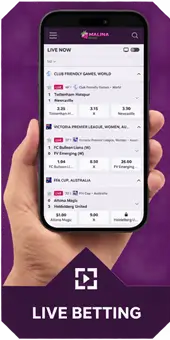





Live tables use timed betting windows, so a stable connection matters more there than in slots. If the stream freezes, wait until you know whether the last bet was accepted before placing another.
Contacting Support When a Malina Sign In Keeps Failing
If password recovery does not solve the problem, live chat is usually the fastest route. Support can check whether the account is locked, restricted or pending verification, but it cannot bypass location or self-exclusion rules. Giving the right information in the first message saves time.
- The email address linked to the account.
- The exact error message, or a screenshot of it.
- The device and browser you are using.
- The approximate time of the failed attempts.
Do not include your password, full card numbers or document images in a chat message. If documents are needed, support will direct you to the secure upload area.
Pausing or Closing an Account Instead of Using the Malina Casino Login
Sometimes the best decision is to step away. If you want a break, a cooling-off period blocks access for a set time, and self-exclusion closes it for longer. Both can be requested in the account settings or through support. During an exclusion, the sign-in page will not give access, and this is intentional.
If you decide to close the account permanently, withdraw any remaining cash balance first and ask support to confirm the closure in writing. Free, confidential help is available from ConnexOntario and other services listed on our responsible gambling page.
Settings to Review After Your First Malina Sign In
The first visit to your account is the best moment to set limits, before any promotion or game influences the decision. The tools below are commonly available in the account area or through support.
- Deposit limits: cap the amount you can add per day, week or month.
- Session reminders: show how long you have been playing.
- Cooling-off period: pause access for a short break.
- Self-exclusion: close access for a longer period if play becomes difficult to control.
- Marketing preferences: choose whether you want to receive promotional messages.
Lower limits usually apply straight away, while increases may take effect only after a waiting period. More information is on our responsible gambling page.
Registration is for adults of legal gambling age in their province: 19+ in most provinces, 18+ in Alberta, Manitoba and Quebec. An accessible website does not mean registration is permitted where you live. In Ontario, authorized operators are listed by iGaming Ontario.
Checking Messages and Offers After Each Malina Login
The account area is where personal information about promotions, verification and payments appears. Reading it after each sign-in prevents surprises, such as an expiring free spin batch or a document request that is holding up a withdrawal.
- Inbox: verification requests, personal invitations and important notices.
- Bonuses: active offers, remaining wagering and expiry dates.
- Transactions: deposits, withdrawals and their current status.
- Limits: the limits you set and when any change takes effect.
Personal offers sent to your account are the only reliable source for codes or invitations, including any free reward. Anything claimed on a third-party page should match what you see in your own account before you act on it.
Questions About the Malina Casino Login and Sign Up
Malina Casino login and sign up questions
Signing in
What do I need for the Malina Casino login?
Your registered email address or username and your password. A genuine sign-in page never asks for banking passwords or payment codes.
What should I do if my account is locked?
Wait a few minutes after several failed attempts, then use password recovery. If the account remains locked, contact support through live chat.
Registration
Is there a reward for signing up?
The welcome offer is unlocked by a first deposit of at least C$30: a 100% match up to C$750, 200 free spins and a Bonus Crab chance. Registration alone does not add a bonus.
Can I register with a nickname?
You can usually choose a display name, but your personal details must match your identity documents, or verification and withdrawals may be delayed.
Security
Will support ask for my password?
No. Support never needs your password, a banking password or a one-time code. Treat any such request as a warning sign.
Can I use the same account on my phone?
Yes. One account works on desktop and mobile browsers, with the same balance, bonuses and limits.
A Smooth Start with Your Malina Casino Login
A reliable routine makes every Malina Casino login quick and safe: use a bookmarked page, keep a unique password and recover the existing account rather than opening a new one. For new players, accurate registration details and early verification remove most of the friction around the first withdrawal.
When you are signed in, check the current promotions, set your limits and explore the lobby at your own pace. You can return to the Malina Casino Canada overview for games and payments, or read about the no deposit bonus situation before choosing an offer.